Getting started
You need an account, a question, a scale, and some experts. This page covers all four. It takes about ten minutes, and the first five of those are already done for you.
Your account comes with a worked example
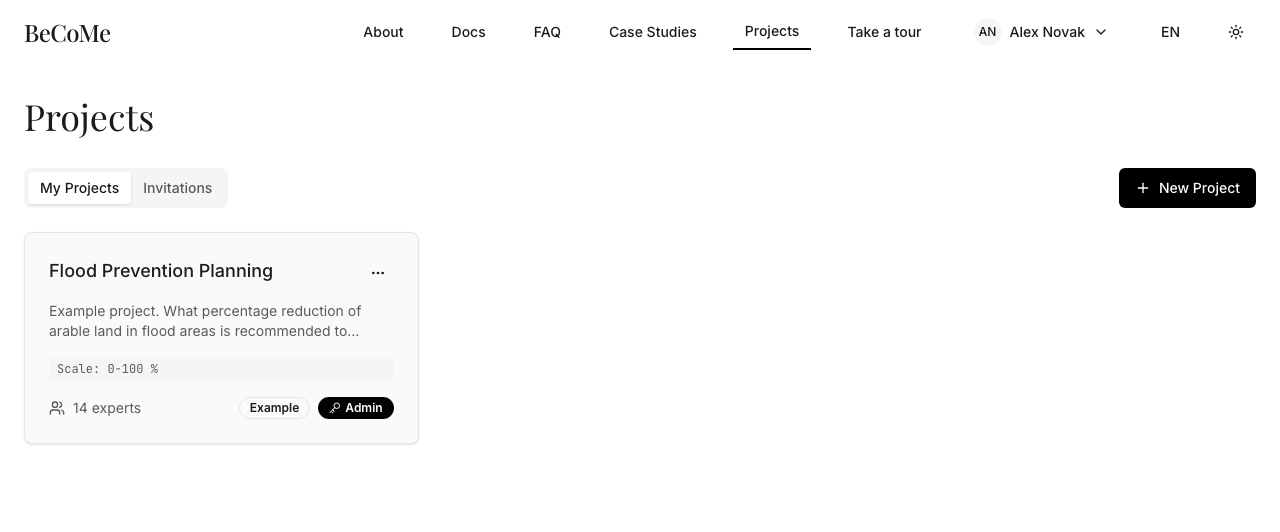
Register at becomify.app, confirm the link that arrives by email, and sign in. Your projects list will not be empty: every new account receives an example project with thirteen real expert opinions already in it, drawn from a Czech flood prevention panel.
Open it before you create anything of your own. It is finished work, so you can see what the result looks like and what the chart is telling you without first having to produce a panel. The worked example walks through the same numbers in detail.
You can add your own opinion to the example project to see how the compromise moves, and delete the project when you no longer need it. You cannot invite experts into it, and that is deliberate: everyone's copy starts from the same thirteen opinions.
Create a project
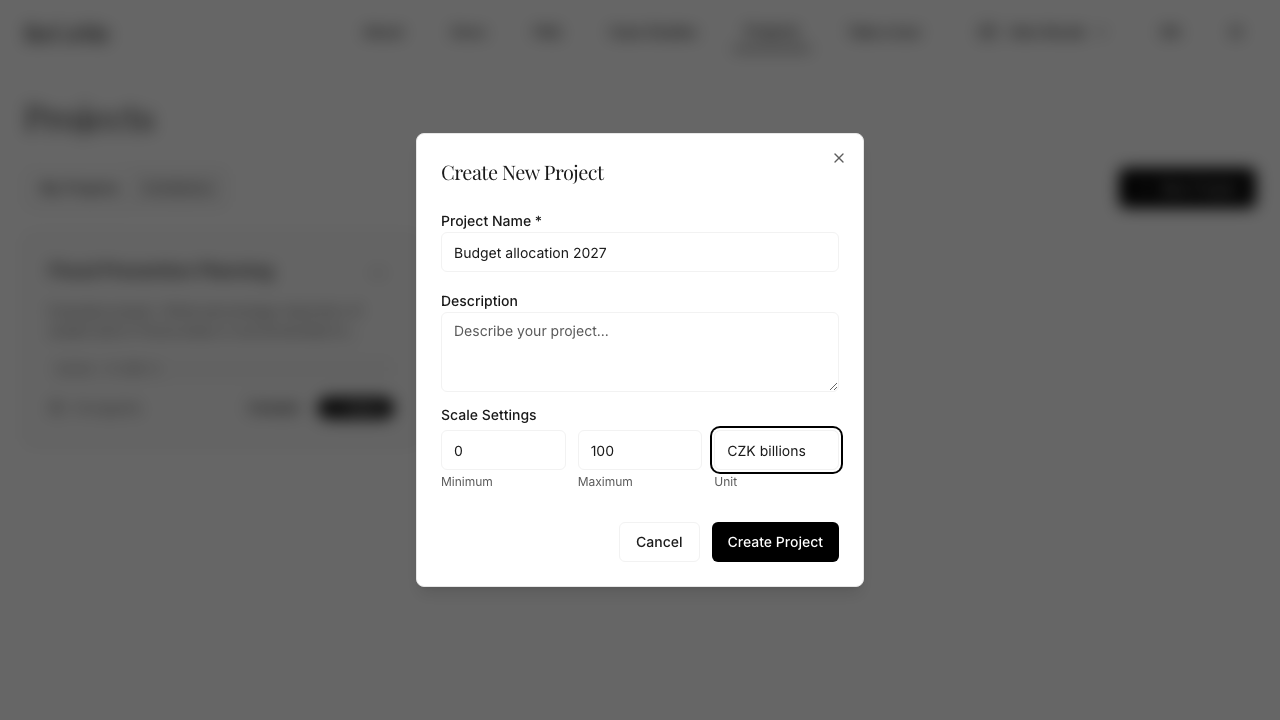
A project is one question put to one panel. Click New Project and fill in four things.
The name and description are for the experts, not for you. They are the whole briefing. An expert opens the invitation, reads these two fields, and answers. If the description does not say what is being asked, you will get answers to different questions and no amount of aggregation will fix that.
The scale is the range the answer lives in, and it is the field people get wrong. Set the
minimum, the maximum, and the unit: 0 to 100 with unit %, or 0 to 200 with unit
CZK billions. The scale is not a guess at the answer. It is the boundary of what an answer could
possibly be, and every opinion has to fit inside it.
The agreement mode is not usable yet
The method has a second mode for "should we" questions, on a scale of 0 to 100 with no unit. The dialog above requires a unit, so you cannot create a project like that here at all. One made another way would still show nothing, because the interface never displays the verdict. Reading the result says where it stands.
Invite the experts
Open the project and click Invite Experts. You invite by email address, and the address has to belong to someone who already has an account. There is no invitation to a stranger: the person signs up first, then you invite them.
They will find the invitation in their Invitations tab. No email is sent, so tell them to look there. Until they accept it they are not on the panel and their absence does not hold anything up.
What happens next
Nothing, until the experts answer. The result appears once opinions arrive, and it updates as more of them do, so an early result is a real result for the experts who have answered so far. Watching it move as the panel fills in is often more informative than the final number.
Next: running a decision, which covers the three ways an expert can express an opinion.